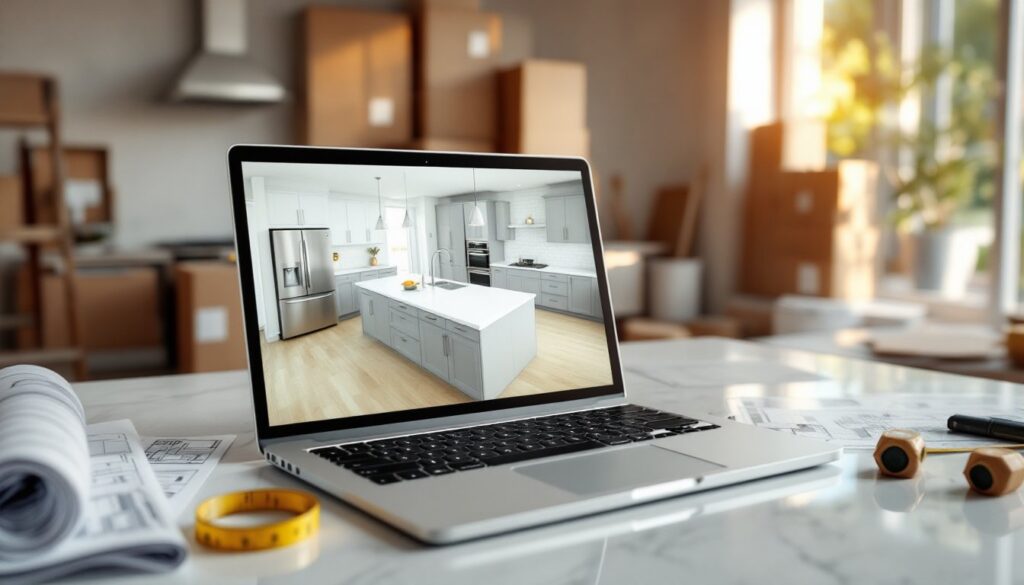
Digital kitchen design has changed how homeowners plan renovations. Instead of sketching on graph paper or hiring a designer for initial concepts, anyone can now build a 3D kitchen mockup, test cabinet configurations, and preview finishes, all before buying a single board foot of plywood or scheduling a contractor. This approach saves time, reduces costly mistakes, and gives homeowners the confidence to tackle remodels they might’ve otherwise avoided. Whether planning a full gut job or just swapping countertops and backsplash, online design tools offer a low-risk sandbox for exploring layouts and materials.
Key Takeaways
- Design your kitchen online before renovation to catch layout and appliance clearance issues in the planning phase, avoiding costly mid-project changes and budget overruns.
- Free tools like IKEA Kitchen Planner and RoomSketcher work well for straightforward remodels, while premium software like Chief Architect is worth the investment for structural changes and construction-ready plans.
- Accurate measurements of room dimensions, window locations, appliance sizes, and existing fixtures are essential to creating a digital kitchen design that matches reality.
- Always verify building codes and clearance requirements manually, such as IRC’s 15-inch countertop requirement next to refrigerators and 21-inch dishwasher door clearance, as free tools don’t always enforce these rules.
- Order physical samples of cabinetry, countertops, and tile before finalizing your kitchen design, since monitor colors differ from real-world materials under home lighting conditions.
- Plan for electrical, plumbing, and ventilation constraints before finalizing your online design, as relocating sinks or adding circuits requires professional installation and significant budget adjustments.
Why Design Your Kitchen Online Before Starting Your Renovation
Most kitchen remodels run over budget because of mid-project changes. A homeowner picks a cabinet layout, orders materials, then realizes the refrigerator door swings into the walkway or the island blocks the dishwasher. Digital design tools catch these issues in the planning phase, not after drywall’s open.
Accurate spatial visualization is the biggest advantage. Online tools generate 3D models that show ceiling height, window placement, and appliance clearances. Seeing a rendering of a 36-inch range against a 30-inch gap is more persuasive than a tape measure reading. It forces realistic decisions about what fits and what doesn’t.
Cost control improves when users can compare material options side by side. Swapping quartz for laminate countertops, or shaker cabinets for slab doors, updates the design instantly. Homeowners see the aesthetic trade-offs and can adjust before placing orders or signing contractor bids.
Online design also helps with permitting and contractor communication. A detailed digital plan, complete with dimensions, fixture locations, and material specs, gives contractors a clear scope of work. In many jurisdictions, building departments accept digital renderings as part of permit applications, especially if they show structural changes like removing a load-bearing wall or relocating plumbing.
Finally, it shortens decision fatigue. Instead of agonizing over paint chips and tile samples in a showroom, homeowners can upload photos, test combinations, and share mockups with family members. It’s faster and less stressful than traditional methods.
Best Free Online Kitchen Design Tools for Homeowners
Free tools work well for straightforward remodels and DIYers comfortable with drag-and-drop interfaces. They won’t replace CAD software for complex builds, but they’re more than adequate for layout planning and finish selection.
IKEA Kitchen Planner is the most accessible option. It’s browser-based, requires no download, and uses IKEA’s cabinet system as a framework. Users drag base cabinets, wall cabinets, and appliances onto a grid, then adjust dimensions to fit their space. The tool auto-generates a shopping list with product codes and pricing, which is useful even if the homeowner plans to buy elsewhere. Limitations: it only works with IKEA’s modular sizes, so custom dimensions require workarounds.
RoomSketcher offers more flexibility. The free tier supports 2D and 3D floor plans, and users can import custom textures for countertops, backsplashes, and flooring. It’s particularly strong for visualizing open-concept layouts where the kitchen flows into dining or living areas. The interface is intuitive, though rendering high-resolution images requires a paid upgrade.
Planner 5D has a generous free version with a large library of fixtures, appliances, and finishes. It’s ideal for homeowners who want to experiment with bold choices, unusual tile patterns, mixed metal finishes, or two-tone cabinetry. The learning curve is steeper than IKEA’s tool, but Houzz galleries can provide inspiration for layouts and material pairings to recreate in Planner 5D.
HomeByMe by Dassault Systèmes balances ease of use with technical accuracy. The free version allows unlimited projects and includes brand-name appliances from major manufacturers. It’s particularly useful for checking appliance clearances, the software flags conflicts like a dishwasher door that can’t open fully or a range hood that doesn’t meet minimum height codes.
Premium Kitchen Design Software Worth the Investment
Paid tools justify their cost when a remodel involves structural changes, custom cabinetry, or high-end finishes. They offer precision, real-world material libraries, and output that contractors and building departments take seriously.
Chief Architect ($199+/year) is the gold standard for DIYers tackling major renovations. It generates construction-ready plans with electrical layouts, plumbing rough-ins, and framing details. The software calculates joist spans, suggests header sizes for wall openings, and flags code violations like insufficient GFCI outlets or range hood ventilation. If the project requires a permit, Chief Architect’s output often satisfies building officials without additional drafting.
SketchUp Pro ($349/year) is favored by designers but accessible to motivated DIYers. It’s a full 3D modeling platform, not just a kitchen tool, so the learning curve is steeper. But, SketchUp’s warehouse contains thousands of free cabinet, appliance, and fixture models. Users can design custom built-ins, pantry systems, and breakfast nooks with exact dimensions. The software exports to CAD formats, making it easy to share files with contractors or fabricators.
2020 Design is widely used by kitchen and bath professionals but available to homeowners through subscription tiers. It includes manufacturer-specific catalogs, cabinets from KraftMaid, countertops from Cambria, appliances from Bosch, so the design reflects real products with accurate pricing. The rendering quality is photorealistic, which helps when presenting plans to a skeptical spouse or deciding between two backsplash options. Pricing varies: some cabinet retailers offer free access if the homeowner commits to purchasing through them.
Premium tools also support material takeoffs. They calculate square footage for countertops, linear footage for crown molding, and the number of cabinet hinges needed. This precision reduces waste and helps homeowners compare contractor bids against actual material costs.
Step-by-Step Guide to Designing Your Kitchen Online
Effective digital design starts with accurate measurements and ends with a plan detailed enough to guide purchasing and installation. Skipping steps leads to renderings that look great but don’t match reality.
Measuring Your Space Accurately
Measure twice, model once. Use a 25-foot tape measure and a notepad. Record the following:
- Overall room dimensions: length, width, and ceiling height. Kitchens in older homes often have uneven walls: measure at multiple points and use the smallest dimension.
- Window and door locations: measure from the nearest corner to the edge of each opening, then note the width and height. Include the door swing direction, a door that opens into the kitchen affects cabinet placement.
- Existing fixture positions: mark the centerline of the sink, the location of electrical outlets, gas lines, and any vents or radiators. Most online tools let users place these as fixed elements, preventing accidental conflicts.
- Obstructions: note soffits, ductwork, HVAC registers, and light fixtures. A ceiling-mounted pot filler or recessed lights can limit upper cabinet height.
- Appliance dimensions: measure the actual width, depth, and height of appliances being reused. A builder-grade 30-inch range often measures 29.875 inches, which matters when specifying cabinet openings.
Take photos of each wall. Upload them to the design tool if it supports background images, it helps with visualizing the space and catching details like off-center windows or uneven flooring.
Choosing Layouts, Colors, and Materials Digitally
Start with the work triangle: sink, range, and refrigerator should form a triangle with sides between 4 and 9 feet. It’s an old rule but still useful for efficient workflow. Online tools often include pre-set layouts, L-shape, U-shape, galley, island, that respect this principle.
Cabinet selection comes next. Use base cabinets that are 24 inches deep (standard) and wall cabinets that are 12 inches deep. Most tools snap cabinets to a grid, but always verify dimensions. A 36-inch base cabinet is nominal: actual width may be 35.5 inches to allow for fillers.
Test multiple countertop materials in the rendering. Quartz and granite look similar on-screen but behave differently in reality. Quartz doesn’t require sealing: granite does. Laminate is budget-friendly but shows wear at edges. Butcher block adds warmth but needs regular oiling. Research on Remodelista can clarify the pros and cons of each material in real-world kitchens.
Color and finish decisions benefit from natural light simulation. Some tools adjust lighting to show how cabinetry looks at different times of day. Matte finishes hide fingerprints: gloss finishes reflect light but show smudges. Test both in the rendering, then order samples before committing.
Backsplash and flooring should be chosen last. Upload photos of actual tile or use the tool’s material library. A subway tile backsplash with contrasting grout is easy to model, but a complex mosaic may need a generic placeholder. For flooring, specify whether it’s luxury vinyl plank (7-8mm thick), engineered hardwood (3/8 to 1/2 inch), or ceramic tile (varies). Thickness affects transitions to adjacent rooms.
Common Mistakes to Avoid When Using Online Kitchen Designers
Ignoring clearance codes is the most frequent error. The International Residential Code (IRC) requires at least 15 inches of countertop on the latch side of a refrigerator, and 21 inches of clearance in front of a dishwasher when the door is open. Online tools don’t always enforce these rules. Double-check manually, especially if using a free tool.
Overlooking electrical and plumbing constraints leads to expensive surprises. Moving a sink 6 feet requires rerouting drain lines and possibly a vent stack, work that’s not reflected in a digital model. Similarly, adding a 240-volt circuit for a wall oven means hiring an electrician and possibly upgrading the panel. Flag these changes early and budget accordingly.
Trusting screen colors without ordering samples is risky. Monitors vary in calibration, and materials photograph differently under showroom lights versus home lighting. Always order physical samples of cabinetry, countertops, and tile before finalizing. A “white” quartz can read cream, gray, or blue depending on the surrounding finishes, as many The Kitchn articles on color selection emphasize.
Forgetting about ventilation is common in online designs. Range hoods need to vent outside (preferred) or use recirculating filters (less effective). The IRC requires a minimum 100 CFM for hoods over ranges. If the design places the range on an interior wall, routing ductwork becomes complicated. Plan for this before ordering cabinets.
Neglecting storage depth is another pitfall. A rendering might show beautiful floor-to-ceiling cabinets, but if they’re only 12 inches deep, they won’t hold much. Base cabinets should be 24 inches deep (not counting countertop overhang). Pantry cabinets are typically 24 inches as well, though some go to 18 inches for tighter spaces.
Skipping the material acclimation period isn’t a design mistake, but it’s worth noting: hardwood flooring, butcher block counters, and some cabinetry need to sit in the room for 48-72 hours before installation. Digital tools won’t remind users, but forgetting this step causes warping and gaps. Always ask suppliers about acclimation requirements.